

Roblox is testing a new way for developers to build game characters: describe a character in plain language, refine a 2D concept, and turn it into a Roblox-ready 3D model. Called Prompt-to-Avatar, the feature entered Studio Beta on October 29, 2026. It is aimed at creators building NPCs and other characters for experiences—not players looking for a one-click avatar makeover in the regular Roblox app.
Quick answer: Prompt-to-Avatar lets Roblox Studio creators generate a character model from a text prompt. They can revise a 2D concept before building the 3D model, choose clothing and head options, and use R15 or Advanced R15 rigs. Roblox says a typical build takes about three to six minutes; accessories are not generated in this beta.
What is Roblox Prompt-to-Avatar?
Prompt-to-Avatar is a creator-focused character-generation workflow inside Roblox Studio. A developer describes a character, reviews an AI-generated 2D concept, makes adjustments, and then asks Studio to build the 3D version. Roblox announced the beta on its Developer Forum on October 29. The tool is available through Avatar Setup and can also be accessed through Assistant and Studio MCP workflows. It is not a general-purpose generator for players in the regular Roblox app.
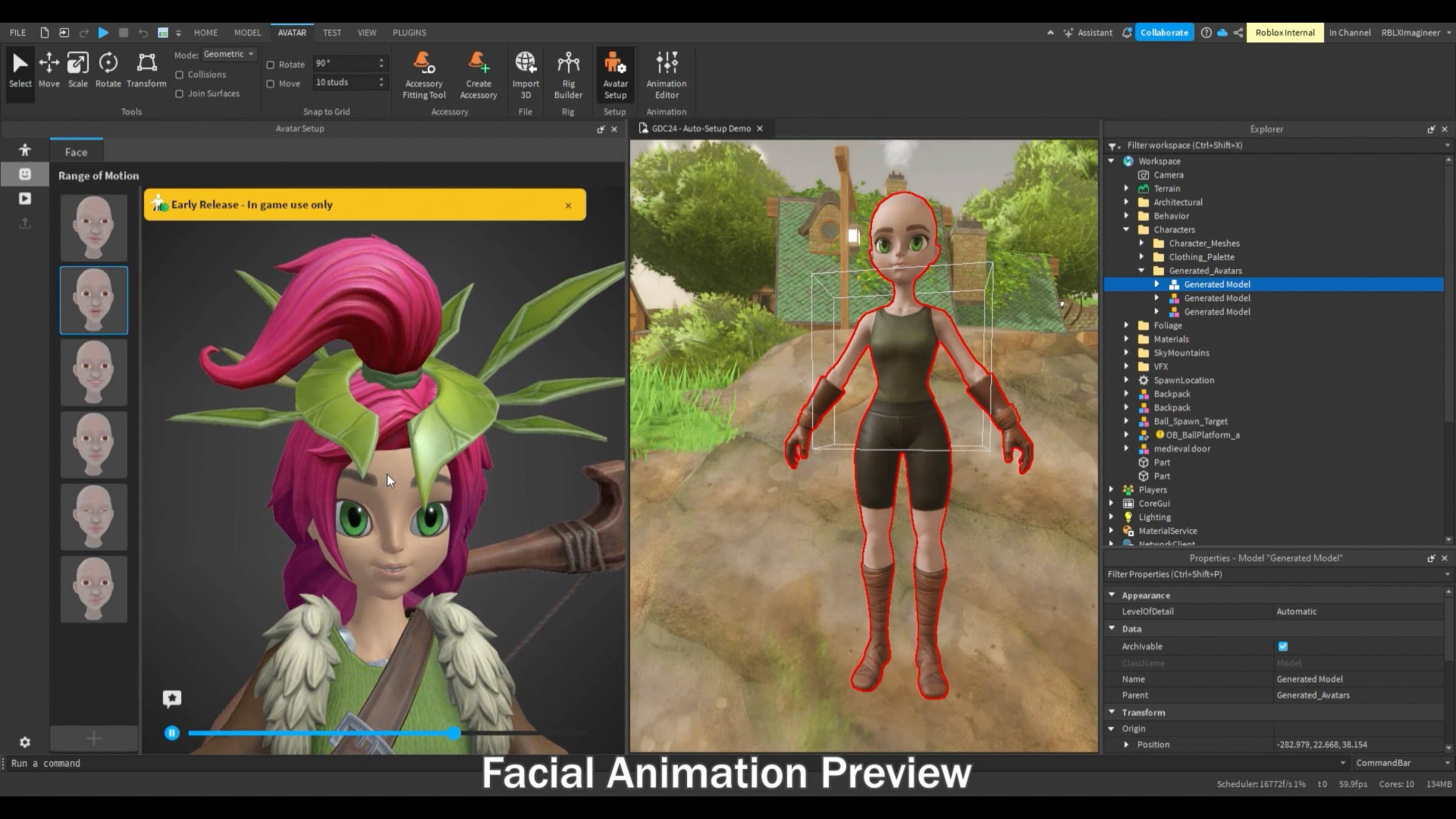
How to try Prompt-to-Avatar in Roblox Studio
- Enable the beta: Open Roblox Studio, select File, choose Beta Features, and enable Prompt-to-Avatar if it is available for your account.
- Open Avatar Setup: Go to the Avatar ribbon, select Setup, and look for Build Avatar (Beta).
- Write a character prompt: Describe the visual style, body proportions, character type, clothing and main colors. Put the most important details near the beginning.
- Review the 2D concept: Studio generates a visual concept. Retry or refine it before starting a 3D build.
- Choose build settings: Select the available clothing setup, head option and rig configuration for your project.
- Select Build 3D: Start generation, then inspect the model in Avatar Setup before using it in your experience.
Roblox says 3D generation generally takes around three to six minutes. A build with a Dynamic Head may take longer. This is an estimate, not a guaranteed completion time for every prompt or Studio session.
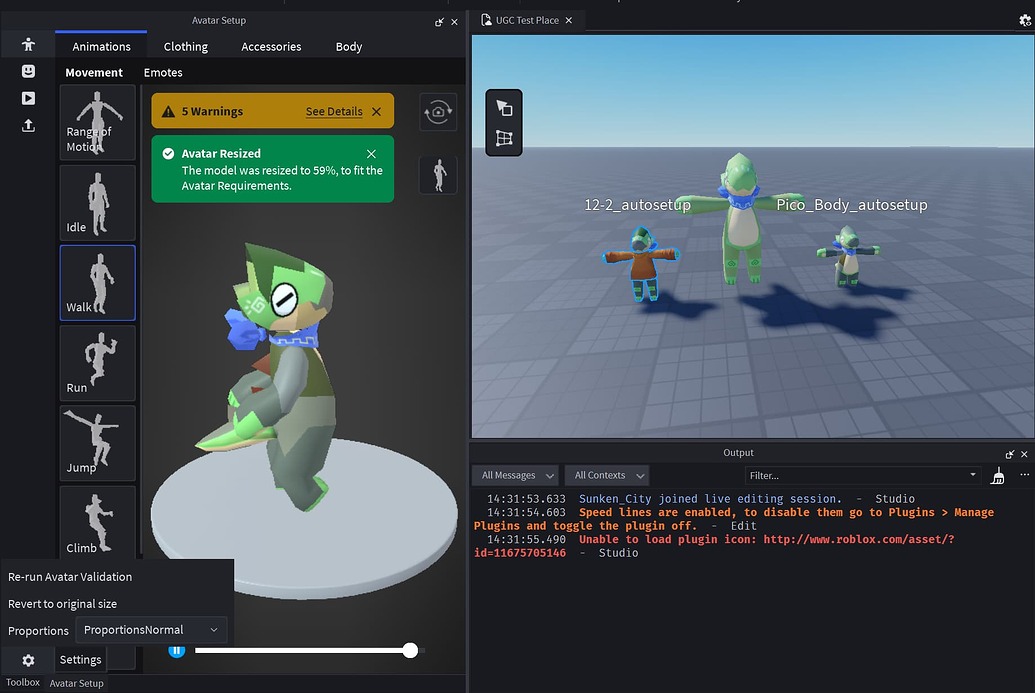
What character options can developers choose?
Roblox's beta announcement describes characters with built-in clothing or a body with a modesty layer so clothing can be handled separately. Developers can choose static or Dynamic Heads. Roblox says Dynamic Heads are generated with eye sockets and a mouth cavity to support facial expression.
The announced rig options are R15 and Advanced R15. Developers should not assume the beta supports arbitrary custom rigs or every legacy character format. If an experience depends on a specific skeleton, animation set or movement system, test the generated model in a copy of the project first.

The biggest limitation: accessories are not generated yet
Roblox says accessories are not generated in the current Prompt-to-Avatar beta, even if an accessory appears in the 2D concept image. The company says accessory generation is planned for the production release. A hat, backpack, handheld prop or other accessory may therefore need to be created or added separately. Roblox has also listed separating clothing and accessories into individual assets, separating hair from the head, and integration with Roblox Build among areas it is working on.

How to write a better Prompt-to-Avatar prompt
Roblox recommends a structured description that starts with style and proportions, then identifies the character and clothing. A practical format is: style anchor, full-body view, proportions, character identity, outfit from top to bottom, and two or three main colors with one accent.
For example: “Stylized adventure game character, full body, realistic adult proportions, soft matte textures, friendly forest ranger, olive jacket, tan trousers, dark boots, forest green and warm brown palette.”
- Put the art style first; a clear style anchor helps keep the design coherent.
- Describe proportions and silhouette instead of relying on vague words such as “cool.”
- List clothing from top to bottom.
- Keep the main palette controlled and identify one accent color.
- Avoid conflicting directions, such as combining a strongly stylized anime look with highly realistic anatomy.
- If a 3D build fails, Roblox recommends retrying the same prompt before rewriting it. Report repeated failures through the official feedback channel.
What early creator feedback reveals
The launch discussion shows both excitement and practical concerns. Some developers welcomed a faster route to character prototyping, especially for teams without dedicated 3D modelers. Others questioned facial quality, hand shapes and how reliably the generator follows a prompt. A Roblox staff response clarified that the current generation supports R15 and Advanced R15 rigs, rather than generic custom rigs.
Those replies are early user feedback, not a controlled quality study. They do point to a sensible test plan: inspect hands and faces, compare the finished model with the approved concept, test animations, and check visual consistency from different camera angles. A model that looks good in a still preview may still need work before it is ready for a live game.
What this could mean for smaller Roblox development teams
The useful promise is not that AI will replace character artists. It is that a team may move from a written idea to a first 3D character draft more quickly. That can help developers test an NPC's visual identity, compare character directions, or populate a prototype before investing time in a polished model.
Faster first drafts do not remove the need for art direction, technical checks or iteration. Teams still need to verify rig compatibility, animation behavior, facial quality, clothing choices and missing accessories. The productivity gain will depend on how much cleanup a particular game style requires.
For more creator-side context, read our Roblox Scene Generation beta guide and our coverage of the Orthographic Camera beta.
What Roblox says is coming next
Roblox says it is also working on Prompt-to-Animation, improvements to Avatar Setup and further stylization work. Accessory generation and separating clothing, accessories and hair have been described as future work—not features creators should expect from this beta today. Check the official announcement for changes as testing continues.
Frequently asked questions
Is Roblox Prompt-to-Avatar available to all players?
No. Roblox announced it as a creator feature in Studio Beta for developers building characters for experiences, not a general avatar generator in the regular player app.
How do I find Prompt-to-Avatar in Roblox Studio?
Enable Prompt-to-Avatar under File, then Beta Features, if the option is available. Open the Avatar ribbon, select Setup, and look for Build Avatar (Beta).
How long does Prompt-to-Avatar take?
Roblox says a 3D build typically takes about three to six minutes. Builds using Dynamic Heads may take longer.
Does Prompt-to-Avatar generate hats, backpacks and other accessories?
No. Accessories are not generated in the current beta, even if they appear in the 2D concept. Roblox says accessory generation is planned for the production release.
Which character rigs does the beta support?
The announcement lists R15 and Advanced R15. Test compatibility with your animation and movement systems before using a generated character in a live experience.
Can developers use Prompt-to-Avatar through Assistant or Studio MCP?
Yes. Roblox says the beta supports Avatar Setup, Assistant and Studio MCP workflows.
Official source and reporting note
Read the official Roblox Prompt-to-Avatar Studio Beta announcement for original instructions, prompt examples and ongoing discussion. This report distinguishes announced beta capabilities from features Roblox has described as future work. Beta availability and details can change as Roblox continues testing.
Author: Shivam Das





