

Quick answer: Roblox’s Character Controller Library (CCL), powered by the AvatarAbilities system, is expanding beyond its original movement foundation. The Studio beta adds built-in Sprint and Crouch abilities and gives creators a Custom Abilities API for mechanics such as dashing, aiming and other character actions. An October 8, 2026 beta update also changed input handling and ability naming, so developers following older examples should review their scripts before continuing.
This is an opt-in creator workflow, not a forced change to every live experience. Roblox says existing games are not automatically migrated. Developers choose the library in Studio’s Avatar Settings, test it, and decide when it is appropriate for their project.
What changed in the AvatarAbilities expansion?
The September 10, 2026 Studio beta announcement introduced two built-in actions—Sprint and Crouch—and the first focused release of the Custom Abilities API. The goal is to let creators build on the same modular framework used by Roblox’s own character abilities rather than maintain unrelated movement scripts for every mechanic.
Roblox describes the Character Controller Library as a Luau-based framework for character movement and behavior. Instead of treating character behavior as one rigid state machine, the library organizes actions as abilities with conditions, inputs, lifecycle callbacks and rules for how they interact.
Sprint and Crouch are built-in abilities
Sprint increases movement speed to 1.5 times the normal value when toggled. Its default inputs are Left Shift on keyboard and mouse, L1 on gamepad, and Touch Button 2 on mobile.
Crouch lowers the character and reduces movement speed to half speed. Roblox documents a crouch hip-height multiplier of 0.55 for R6 and 0.67 for R15. The default inputs are Left Ctrl, the B button on gamepad, and Touch Button 3.
Both abilities can be enabled or disabled per experience in Avatar Settings. This gives creators a consistent starting point for stealth sections, low-ceiling traversal, tactical movement and faster traversal without writing the basic input plumbing themselves.
Custom Abilities API: build mechanics on the same framework
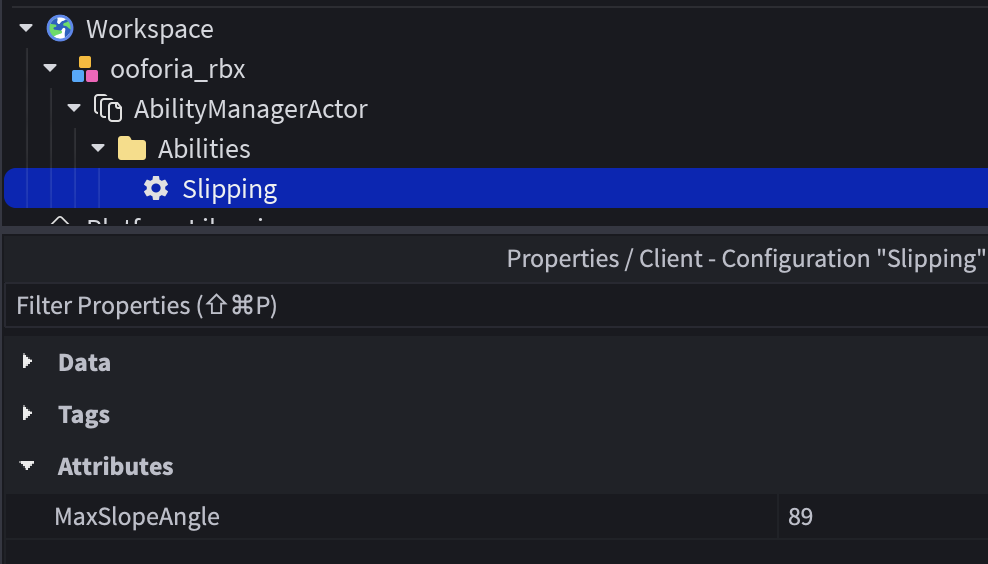
The Custom Abilities API is designed for creator-defined actions. Roblox’s documentation uses a dash ability as an example: the character can surge forward, remain in an active window briefly, and then wait through a cooldown before dashing again.
A custom ability is described in a ModuleScript with an ability definition. The definition can include a unique name, labels, activation conditions, input configuration and lifecycle callbacks. The documented lifecycle includes:
- OnSetup: prepare the ability and supporting state.
- OnStart: run when the ability activates.
- OnUpdate: handle ongoing behavior while it remains active.
- OnStop: respond when the ability ends.
- OnTeardown: clean up when the ability is removed.
Creators can add or remove abilities for a character at runtime. That can support context-sensitive mechanics—for example, granting a grapple after a player collects equipment, enabling a special move inside a specific zone, or adding a temporary defensive action during a boss encounter.

The October 8 beta update: input rules and unique names
The beta announcement was updated on October 8, 2026 with changes based on early testing. These details matter if you copied an example before that update.
RunsWhile now describes world conditions
Roblox clarified that input presses should not be placed directly inside RunsWhile. That field is now for world conditions, such as whether a character is grounded. The input’s Mode controls how a button starts or stops an ability.
For repeat-style behavior, the update says to replace the older Mode = "Repeat" pattern with Mode = "Hold" and Repeats = true. For abilities that should continue after the input ends while a world condition remains true, use OutlivesInputWhile. If an ability should simply stop itself, use Mode = "Press" and call its stop method when appropriate.
Ability names must be unique
Older behavior could silently rename a duplicate ability. The updated beta instead treats names as unique IDs and reports an error when two abilities use the same name. If several abilities share a behavior family, give each a distinct name and coordinate them with a shared label.
Two early bugs were addressed
Roblox also reported a fix for abilities added while a client was still loading, which could previously be dropped, and a fix for a toggle ability that stopped itself and immediately switched back on because its toggle state had not been cleared.
How to enable the beta safely
- Open the experience in Roblox Studio and save or publish your current work before changing character settings.
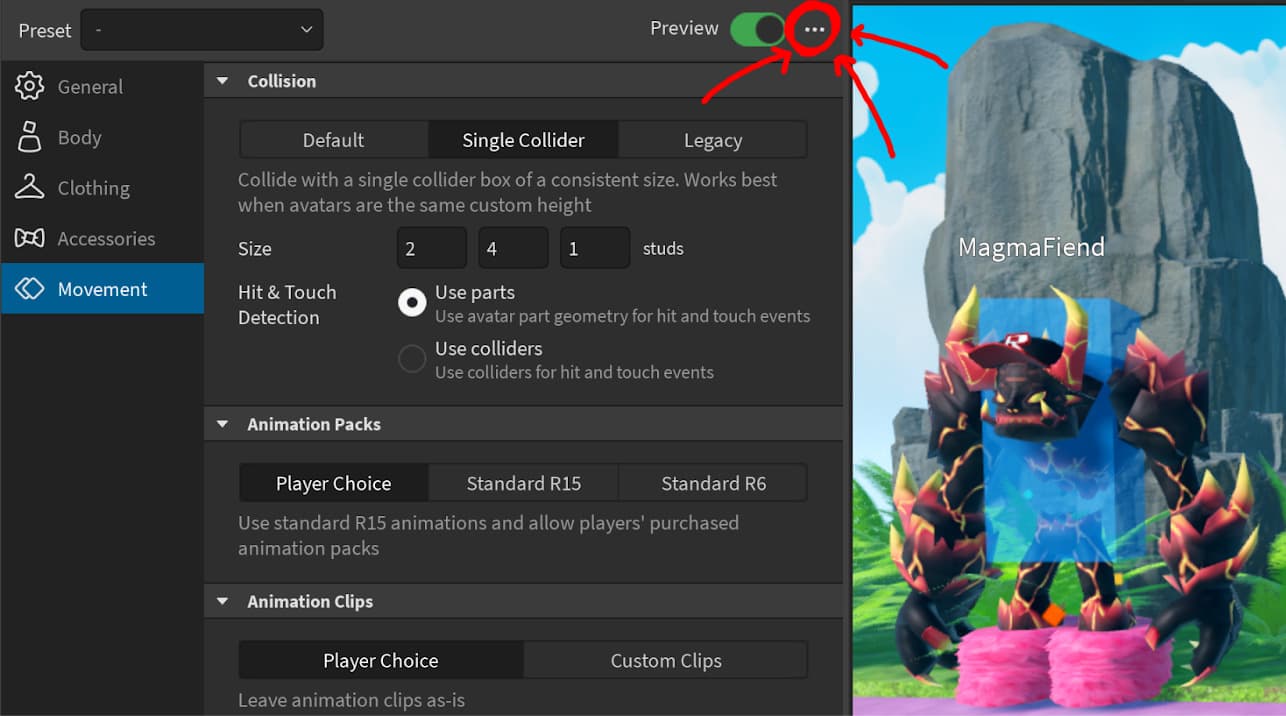
- Open the Avatar tab and choose Avatar Settings.
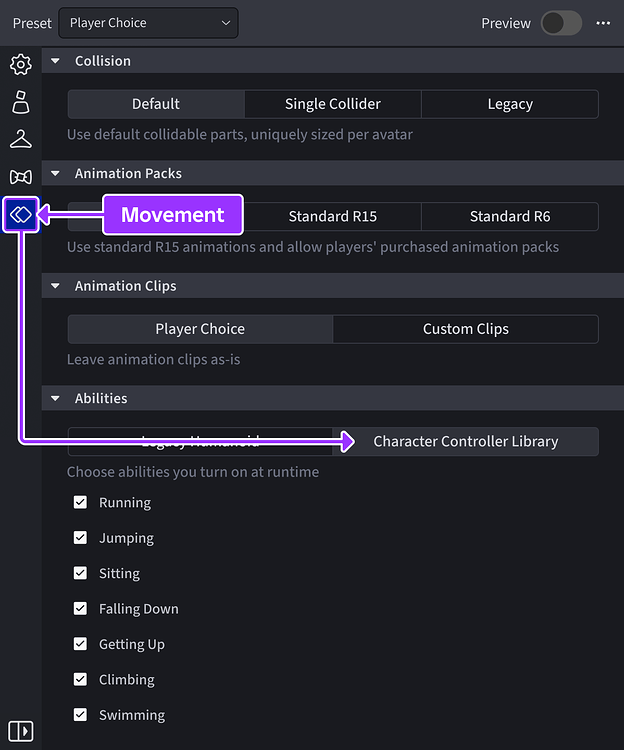
- In Movement, select Character Controller Library under Abilities.
- Open File, choose Beta Features, enable AvatarAbilities Character Controller Library, and restart Studio.
- Check that
Workspace.PlayerScriptsUseInputActionSystemis enabled. - Test the experience in a private test session before shipping the change to players.
Roblox recommends Server Authority for projects adopting the Custom Abilities API. The beta announcement says the custom ability system targets Server Authority first; developers should not assume every network-authority configuration will behave identically. The library supports R6 and R15, but individual experiences still need testing for their own movement, animation, tools and gameplay dependencies.

What creators should test before release
- Check Sprint and Crouch on keyboard, gamepad and touch rather than assuming one input test covers every platform.
- Test both R6 and R15 if the experience supports both rig types.
- Confirm that custom ability names are unique across all modules registered for a character.
- Review every
RunsWhilecondition and remove direct input checks from it. - Test respawning, character loading, ability registration and toggle behavior.
- Verify how custom movement interacts with tools, inventory, health systems, animations and other project-specific scripts.
- Use a private test place and keep a rollback path before enabling the library in a live experience.
The practical opportunity is substantial: creators can make movement systems more modular and easier to extend. The practical risk is assuming that a beta framework is a drop-in replacement for every legacy character script. A careful migration, platform testing and review of the latest API documentation are more valuable than rushing to enable every new ability.
Frequently asked questions
Is AvatarAbilities enabled automatically in every Roblox game?
No. The Character Controller Library is opt-in through Studio’s Avatar Settings. Existing experiences are not automatically migrated.
What new default abilities are included in the expansion?
The beta adds Sprint and Crouch as built-in abilities. Sprint uses a 1.5x movement-speed multiplier, while Crouch reduces movement speed to 0.5x and lowers the character’s stance.
Can developers create their own character abilities?
Yes. The Custom Abilities API lets creators define abilities in ModuleScripts, configure activation rules and inputs, and add or remove abilities for characters at runtime.
What changed in the October 8, 2026 beta update?
Roblox clarified that RunsWhile is for world conditions rather than direct input checks, changed repeat behavior to Hold plus Repeats = true, introduced unique ability-name enforcement, and fixed two reported loading and toggle issues.
Should developers use Server Authority?
Roblox strongly recommends Server Authority for projects using the Custom Abilities API. It is the target network model for the initial beta, so creators should test their specific experience and authority configuration.
Official sources and further reading
- Roblox Developer Forum: Expanding the Character Controller Library
- Roblox Creator Hub: Character Controller Library
- Roblox Creator Hub: Custom Abilities
- Roblox Creator Hub: CCL Quick Start
- Roblox Creator Hub: Avatar Settings
Related coverage: Roblox Character Controller Library: Full Release, Sprint, Crouch and Custom Abilities API.
By Shivam Das
Independent Roblox creator-tools coverage. Details reflect Roblox’s published beta announcement and Creator Hub documentation; beta features and API behavior can change as Roblox ships updates.




