

Quick answer: Roblox is bringing a browser-based way to launch experiences without installing the Roblox app. As of November 4, 2026, Web Play is in a creator-only early-access beta—not a public feature for every player. Roblox opened testing on October 29 for eligible creators using Chrome on Windows, macOS, and Android. The company says it is aiming to begin a wider, progressive rollout before the end of 2026, but it has not announced a precise public launch date.
That distinction matters. You may have seen headlines saying you can now play any Roblox game directly in Chrome. That is the direction Roblox is building toward, but ordinary players cannot yet assume that every public experience will open in a browser. Here is what is confirmed, who can test it today, what is missing, and what to do while the rollout continues.

Is Roblox Web Play available to everyone yet?
No—not yet. Roblox's October 29 Developer Forum announcement says Web Play early access is available to creators so they can test their own games in Chrome, find bugs, and tune performance before the feature opens to all players.
For an individually owned experience, the owner is the only person who can test it. For a group-owned experience, access includes the group owner, people with edit permissions, and approved early testers or play testers. A regular player trying to open an unrelated public game does not get general access through this creator beta.
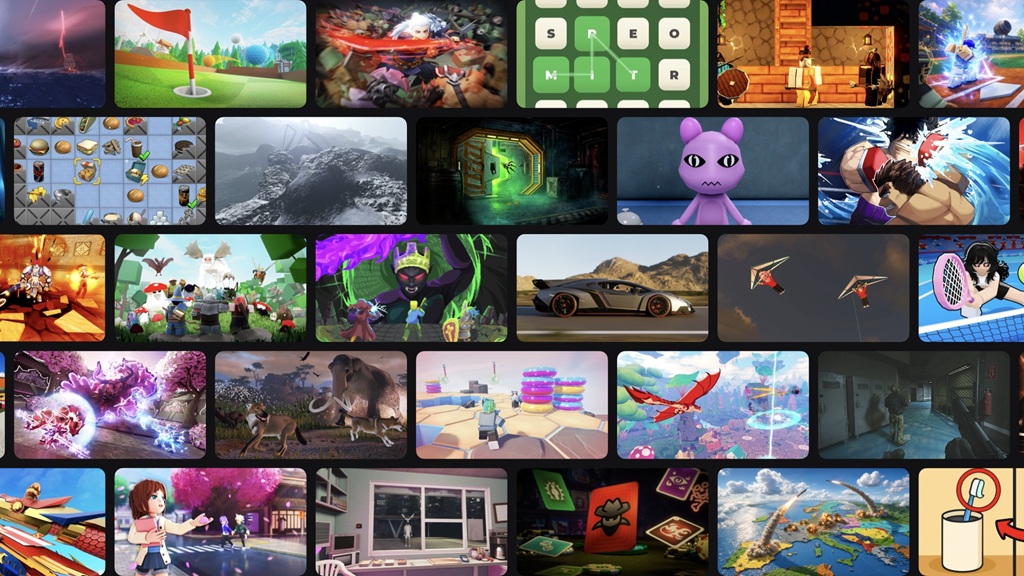
Roblox's September 11 RDC announcement set the broader goal: players should be able to join an experience from its Experience Details Page in Chrome without an app or installation, with other browsers following later. The October beta announcement is the first concrete testing step, not confirmation that the public rollout is complete.

Who can use the browser beta right now?
- Individual game owner: can test their own published experience.
- Group experience owner: can test a group-owned experience.
- Group editor: can test when they have the required edit permissions.
- Approved early tester or play tester: can test a group-owned experience when the owner has granted that role.
- Regular player: cannot use this creator-only beta to launch any public Roblox game they choose.
To try the beta as an eligible creator, open Creator Hub in Chrome, go to an experience you own or are authorized to test, and look for Play in Browser. Roblox's announcement lists Chrome on macOS, Windows, and Android for this early-access phase. Other browser and operating-system combinations are blocked by default while Roblox checks compatibility.

Which browsers and devices are supported?
For the creator beta, Roblox specifically names Chrome on Windows, macOS, and Android. That does not mean every Chromium-based browser is supported, and it does not mean Chrome on iPhone or iPad is ready. Roblox says it has not fully verified Web Play on iOS because browsers on those devices generally use Apple's WebKit engine.
Roblox says additional browsers may follow after Chrome. It has not provided a firm list or dates for Safari, Firefox, Edge, or other platforms. Until Roblox confirms those combinations, treat them as unannounced rather than supported.
What does not work in Web Play yet?
The browser version is still being tested, and Roblox has listed several features that are not available in the immediate beta. These include:
- Voice chat, party chat, and Friends chat.
- Avatar Dynamic Heads through Self View.
- In-experience video playback and video ads.
- Image and Moments capture.
- Haptic support.
- Switching avatars while inside an experience.
- Remote MicroProfiler captures.
There are also technical limitations. The beta currently uses WebGL, and Roblox says high-quality shaders and advanced lighting may not work as they do in the native client. Roblox plans to move to WebGPU before full release. The company also warns that browser overhead can affect performance; it says the native client will remain the better option for the fastest, highest-quality gameplay.

Known issues creators should watch for
Roblox's beta announcement flags several problems it is still working through. Some webviews may fail to open correctly, first loads can be slow, and certain cross-experience teleports may fail when a tester lacks the right permissions. The announcement also notes inconsistent two-step verification behavior and an Android Robux-package display issue.
On Windows systems with both integrated and dedicated graphics, Chrome may select the integrated GPU. Roblox also warns that Chrome versions below 156 can crash on some x86 systems after several minutes. Creators should keep Chrome updated, test on the devices their audiences use, and report reproducible bugs through Roblox's official Web Play bug-report category.
Will you need a powerful PC?
Roblox is not enforcing a minimum device specification for the creator beta. For a broader release, however, the company says its current testing points toward a baseline of 6 GB of RAM, a 4-core 64-bit CPU, and a GPU in the Mali G170 class or better with hardware-accelerated WebGL 2 and WebGPU support. Roblox explicitly says these requirements may change as Web Play evolves, so they should be treated as provisional guidance—not a final published system-requirements list.
How to play Roblox today if you are not in the beta
If you are a regular player and a game does not offer browser access to your account, use Roblox's normal official app or player. Open the experience on Roblox, select Play, and follow the official installation or launch prompt for your device. Avoid third-party pages claiming to unlock Roblox Web Play early, especially if they ask for your Roblox password, browser cookies, or account tokens.
When the public rollout begins, Roblox says the intended route is from the experience's own details page. A shared link could then take a player from a search result, video, message, or creator post directly to the browser player. Until the feature is available to your account, do not assume a third-party “play Roblox online” service is the official Web Play system.
What happens next?
The clearest timeline Roblox has given is “before the end of the year” for the start of a progressive rollout. That wording does not promise that every player, country, browser, and device will receive access on the same day. The rollout may expand in stages as Roblox checks stability, compatibility, and performance.
For now, the practical takeaway is simple: creators can test their own eligible games in Chrome; most players should continue using the official Roblox app; and the public no-download experience is planned, but not yet universally available.
Frequently asked questions
Can I play any Roblox game in Chrome without downloading the app?
Not as a regular player yet. The current Web Play beta is for creators testing games they own or are authorized to test. Roblox plans a broader player rollout before the end of 2026.
When will Roblox Web Play launch for everyone?
Roblox has not announced an exact date. It says it is aiming to start a progressive rollout before the end of 2026.
Does Web Play work on Android?
Yes, Android is included in the creator beta when using Chrome. That does not mean the feature is already open to all Android players.
Can I use Safari or Firefox?
Roblox has not confirmed a date for those browsers. Chrome is first, with additional browsers planned later.
Is Web Play better than the Roblox app?
Not necessarily. Roblox says browser overhead can affect performance and that the native client will remain the best option for the fastest, highest-quality gameplay.
Where can I find official updates?
Check the Roblox Web Play beta announcement and the RDC 2026 newsroom post. These are the primary sources for the current rollout status.
Sources
- Roblox Developer Forum: Creators Can Test Games on the Web (October 29, 2026)
- Roblox Newsroom: RDC 2026 – The World Needs More Play (September 11, 2026)
- Roblox Support: How to Install and Play Roblox
By Shivam Das





