

Roblox Web Play is Roblox’s planned browser-based way to launch experiences directly from an Experience Details Page, without asking players to install the usual Roblox app first. The feature is moving toward that goal in stages: Roblox opened a creator-only Chrome beta on October 29, 2026, while saying it aims to begin a progressive rollout to players before the end of 2026.
That means the headline promise is real, but the public experience is not yet available to everyone. The current early-access build is for creators testing their own games or games they have permission to test. It works in Chrome on macOS, Windows and Android. Roblox has also warned that browser performance, missing features and device compatibility still need work before a wider release.

Quick answer: Can you play Roblox in Chrome without downloading it?
Not as a general player yet, as of November 5, 2026. Roblox has opened Web Play early access to creators so they can test their own experiences in Chrome. Roblox says it is aiming to start a progressive rollout to all players before the end of 2026. Until that rollout reaches an account and experience, most players should continue using the supported Roblox app or client.
Roblox first announced the browser-play plan at its September 11 Developers Conference. The company said players would eventually be able to click a game link from an Experience Details Page—or a link shared through search, YouTube, X, email or a creator’s social channel—and start playing in Chrome without a separate app installation.
What changed on October 29?
On October 29, Roblox announced Web Play early access for creators. The test lets developers open their own Roblox games in Chrome before the feature is made available more broadly. Roblox wants creators to identify browser-specific bugs and adjust their experiences for the performance characteristics of a web client.
To try the beta, an eligible creator opens Creator Hub in Chrome, selects an experience they own or are authorized to test, and chooses Play in Browser. The experience then runs in the browser rather than handing the player off to the standard installed client.

Which browsers and devices does Roblox Web Play support?
The current creator beta focuses on Google Chrome on macOS, Windows and Android. Roblox says it is concentrating on these combinations before expanding browser availability. Other browser and operating-system combinations are blocked by default during the test, and Roblox has not announced a full public browser compatibility matrix.
- Windows: Chrome is included in the creator beta.
- macOS: Chrome is included in the creator beta.
- Android: Chrome is included in the creator beta.
- iPhone and iPad: not included in the current supported beta combinations. Roblox says iOS browsers use WebKit, and it has not fully verified Web Play for iOS Safari.
- Other browsers: broader support is planned over time, but no firm schedule has been announced.
Do not assume that a browser based on Chromium automatically works. Roblox says it is focusing on Chrome because some other Chromium browsers use build flags that can interfere with Web Play.
How creators can test Roblox games in Chrome
- Update Google Chrome to a current version.
- Open Creator Hub in Chrome and sign in to the account that owns the experience or has the required group permissions.
- Open the experience you want to test.
- Select Play in Browser.
- Play through important areas and check loading, controls, lighting, interface text, physics and performance.
- Report reproducible browser-specific problems in Roblox’s Web Play feedback category on the Developer Forum, including the device and Chrome version.
Access depends on ownership and permissions. For an individually owned experience, Roblox says only the owner can test it. For a group-owned experience, the group owner and people with edit permissions, early-tester access or play-tester access can test it.
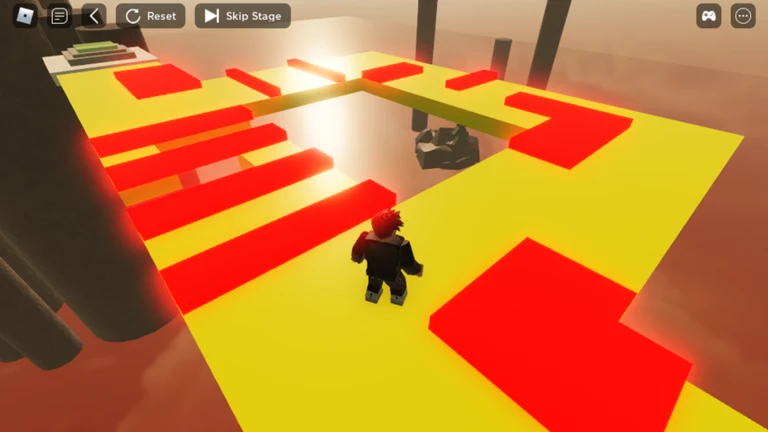
Known Web Play limitations and bugs
Roblox has been unusually specific about the issues creators should watch for. The current beta is a testing environment, not a finished replacement for the native client.
WebGL graphics are a temporary constraint
The current Web Play beta uses WebGL. Roblox says it plans to migrate to WebGPU before full release. Until that happens, high-quality shaders and advanced lighting may not work as they do in the native client. Roblox says the WebGPU transition should improve browser performance and visual quality.
Browser overhead can affect performance
A browser uses memory and processing resources of its own. Roblox warns that this overhead can affect gameplay and that the first load may be slow while the browser downloads the client. Roblox automatically adjusts presentation quality to help devices cope, but developers should still test busy scenes, large maps, effects-heavy areas and lower-powered devices.
Some social and capture features are unavailable
Roblox lists several features that are not available in the immediate Web Play experience, including voice chat, party chat, Friends Chat, in-experience video playback, video ads, Image/Moments Capture, haptic support, avatar switching in-game and remote MicroProfiler captures.
Other known issues
Roblox has also reported issues involving some webviews, Android Robux package display, inconsistent two-step verification prompts and certain cross-universe teleports when the player lacks ownership or play-tester permissions. Some physics replication setups may show small visual pops. These are among the issues Roblox says it is addressing or improving before wider availability.

Will Web Play look and perform like the Roblox app?
Not necessarily. Roblox says the browser client has overhead that can affect gameplay performance. The company automatically scales presentation quality, but it also says the native client will remain the better choice for the fastest and highest-quality gameplay performance.
For creators, that creates a practical testing checklist. A game that feels smooth on a high-end desktop may behave differently in Chrome on a modest laptop or Android phone. Developers should test camera movement, input responsiveness, UI readability, memory use, lighting, physics and the first-load experience. Competitive games should pay particular attention to fairness and device integrity.
What device specifications might players need?
Roblox says it is not enforcing a minimum device specification for the creator beta. For a broader launch, the company has shared preliminary requirements from its own testing: 6 GB of RAM, a four-core 64-bit CPU such as Cortex X1 or Intel Core 5 equivalent, and a Mali G170-class or better GPU with hardware-accelerated WebGL 2 and WebGPU support.
These are not final universal requirements. Roblox says they may change as Web Play evolves and as the platform moves to WebGPU. Players should wait for the final compatibility guidance rather than treating the preliminary figures as a guarantee that every device above the threshold will work perfectly.

When will Roblox Web Play be available to everyone?
Roblox’s September 2026 announcement set an end-of-year goal for browser play. After creator testing began on October 29, the company clarified that it is aiming to start a progressive rollout before the end of 2026. A progressive rollout means access may expand in stages rather than becoming available to every player, device and experience at once.
Roblox has not announced a single guaranteed public launch day. The company says it wants to monitor reliability, fix bugs and improve browser performance before opening access more broadly. Availability may therefore vary during the rollout.
Is Roblox Web Play safe? Avoid fake no-download sites
As interest in browser play grows, players may encounter third-party pages claiming to offer instant Roblox access. Those pages are not automatically part of Roblox’s official Web Play program. The official creator beta is accessed through Creator Hub, and the planned player experience is intended to start from Roblox’s own Experience Details Page.
Never enter your Roblox password, session cookie or two-step verification code on a third-party site promising early access. Use Roblox’s official website and apps for account sign-in, and follow the official Developer Forum for Web Play announcements. A site using the words “Roblox Web Play” is not proof that Roblox operates it.
What Web Play could mean for Roblox creators
The most important change may be the distance between discovery and gameplay. Today, a player who sees a Roblox game link may need to install or open the client before playing. A browser launch could make a shared link from a video, creator profile, search result or message a more direct invitation to join.
That could help creators turn social attention into actual play sessions. But lower friction does not automatically mean more players. A game still needs a compelling first minute, reliable servers, clear controls, safe communication and a reason to return. Browser access may also introduce new performance and moderation considerations that developers need to plan for.
For players, the benefit is convenience. For developers, the opportunity is broader reach—but only if the experience works well in a browser and the rollout reaches their audience. Roblox Web Play is promising, but the creator beta is the stage where the platform has to prove the technical details.

Web Play vs. the regular Roblox app
| Feature | Web Play beta | Regular Roblox client |
|---|---|---|
| How it launches | Inside Chrome | Installed Roblox app/client |
| Current access | Creator early access | Available to supported users |
| Beta device focus | Chrome on Windows, macOS and Android | Multiple supported platforms |
| Graphics backend | WebGL in the current beta; WebGPU planned | Native client rendering path |
| Voice and party chat | Unavailable in the immediate beta | Supported where eligible |
| Performance | Browser overhead can reduce performance | Roblox says native client remains best for highest performance |
Frequently asked questions
Can I play Roblox in Chrome without downloading the app?
Roblox is testing browser play through a creator-only early-access beta. As of November 5, 2026, general players do not yet have universal access. Roblox aims to begin a progressive rollout before the end of 2026.
Is Roblox Web Play available now?
Yes, but only as creator early access. Eligible creators can test their own games or permitted group experiences in Chrome on macOS, Windows and Android.
How do I open Roblox Web Play?
Creators should open Creator Hub in Chrome, select an eligible experience and click Play in Browser. Players will need to wait for Roblox’s broader rollout.
Does Roblox Web Play work on iPhone?
iPhone and iPad are not included in the current creator beta combinations. Roblox says it has not fully verified Web Play for iOS Safari because iOS browsers use WebKit.
Does Roblox Web Play support Firefox or Edge?
Not in the current supported creator beta configuration. Roblox is focusing on Chrome first and says it intends to increase browser availability over time.
Will Web Play support voice chat?
Voice chat, party chat and Friends Chat are among the features Roblox lists as unavailable in the immediate Web Play experience. Roblox may update feature support as the beta develops.
Does Web Play use WebGL or WebGPU?
The current beta uses WebGL. Roblox plans to migrate to WebGPU before full release to improve performance and visual quality.
When will all Roblox players get browser play?
Roblox is aiming to begin a progressive rollout before the end of 2026. It has not announced a guaranteed date when every player will have access.
Official sources and further reading
- Roblox Developer Forum: Creators Can Test Games on the Web (October 29, 2026)
- Roblox Newsroom: RDC 2026 – The World Needs More Play
- Roblox Developer Forum: Weekly Recap, October 26–30, 2026
- Roblox Support: How to Install and Play Roblox
Author: Shivam Das
Last updated: November 5, 2026. This report separates the creator beta from the planned public rollout. Availability, device requirements and supported features may change as Roblox publishes further updates.





