

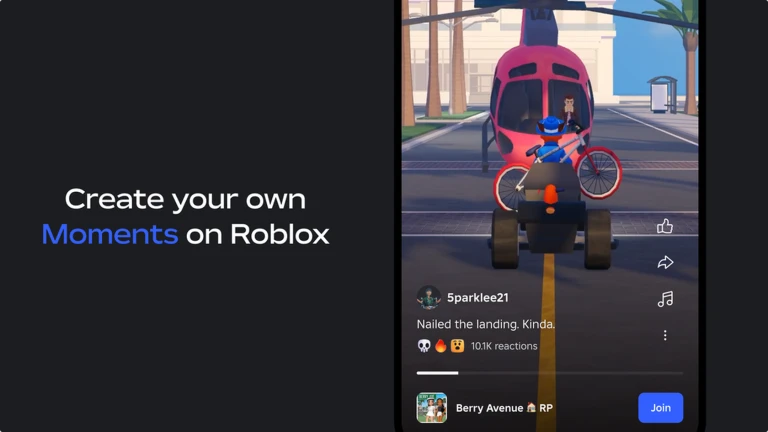
Roblox Moments is a beta feature that lets players turn short in-game captures into shareable gameplay posts. You can record a clip of up to 30 seconds with Roblox’s built-in Captures tool, trim it inside the Moments experience, add supported music and a description, then publish it for other players to discover. Roblox says players can post up to 10 videos per day. The feature is still in beta, and access and visibility can vary by account, region, and app rollout.

What Roblox Moments does
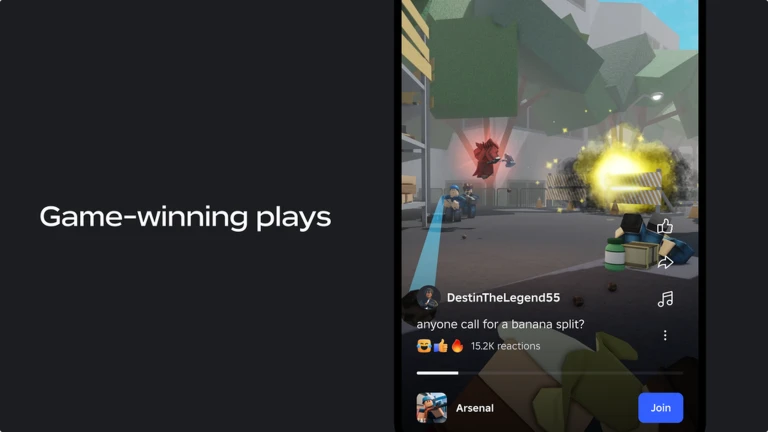
Moments is Roblox’s in-platform short-form gameplay discovery experience. Instead of watching a clip and then searching for the game separately, viewers can react to a post and use its Join button to jump into the experience featured in the video.
Roblox first introduced Moments as a beta experience in September 2025. Its original workflow centered on three steps: capture gameplay, edit and share a clip, and discover experiences through community posts. Roblox expanded the dedicated Moments tab beyond its initial July 2026 launch markets. In its September 2026 developer-conference update, Roblox said the Moments tab was fully available in the United States, while availability and app navigation in other regions may continue to vary as the rollout progresses.

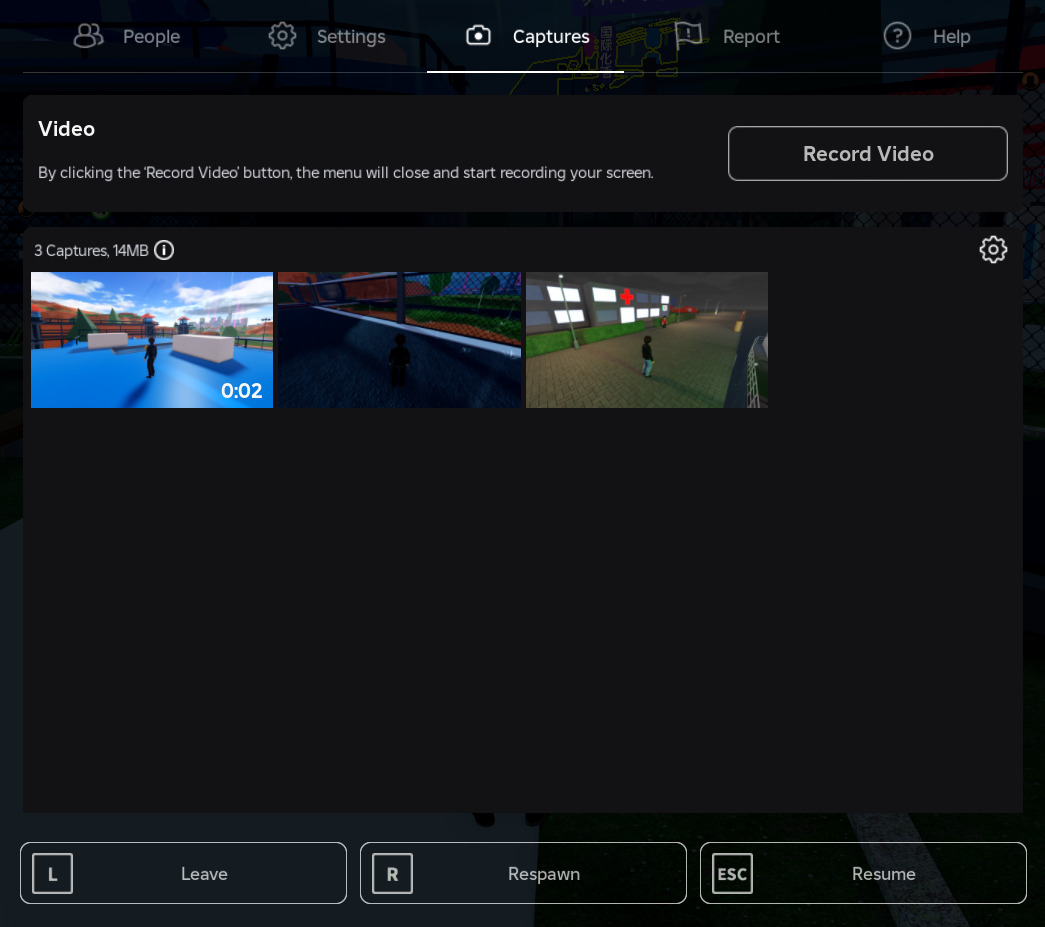
How to record a 30-second Roblox clip
- Join a Roblox experience that allows player captures.
- Open the in-experience menu in the upper-left corner.
- Select Captures. A capture icon should appear on the right side of the screen.
- Tap or click the capture icon to start recording your gameplay.
- Tap or click it again to stop. Your video is saved to the Captures gallery.
- Open the Roblox menu and select Captures to review your saved clips. You can also save a recording to your device from the gallery.
Roblox's help page says video capture supports clips up to 30 seconds and is available on supported desktop and mobile devices. A game developer can disable player capture in an individual experience, so the capture control may not appear everywhere.
How to add music and publish a Moment
- Search for and join the Roblox Moments experience.
- Press the + button near the top-right corner to open your Captures gallery.
- Choose the gameplay video you want to share.
- Trim the clip, add music from the available options, and write a short description.
- Press Post to submit it.
- Stay inside the Moments experience until Roblox confirms that the post has published.
Roblox's current support instructions say users can publish up to 10 videos per day. You cannot use this workflow to upload an arbitrary video edited elsewhere: the supported flow selects recordings from the Roblox Captures gallery. If you want to publish a longer montage or a heavily edited video, use a separate video editor and the appropriate platform for that content instead.
Important audio, privacy and age limits
- Voice chat: Roblox says player voices are not recorded in Captures. Its help documentation also says in-experience audio is not recorded in the standard video-capture workflow; music can be added later during Moments editing.
- On-screen identity: Roblox says captures remove in-experience UI and usernames shown above avatars. Avoid adding personal information to your description.
- Age access: Roblox lists Moments as Moderate and says the Moments experience is for users aged 13 or older at launch.
- Moderation: Published Moments are moderated. A post that violates Roblox Community Standards may be rejected.
- Game restrictions: Experiences without a content maturity label and Restricted experiences are blocked from being uploaded to Moments, and developers can turn off capture in their own games.
Why the Moments tab may look different on your account
Roblox began its redesigned app-home rollout in Canada, New Zealand and Singapore in July 2026. By its September 2026 developer-conference update, Roblox said the Moments tab was fully available in the United States. Other markets may have a different rollout stage or app layout. If you do not see a dedicated Moments tab, use Roblox search or the More tab to look for the Moments experience, as described in Roblox Support.
Quick troubleshooting
- No capture icon: Check whether the experience allows player captures, then reopen the Captures menu.
- Your clip is missing: Check the Captures gallery on the same account and device where you recorded it. Captures are stored locally in the Roblox app, so switching devices may leave the recording behind.
- Post does not finish: Stay in the Moments experience after pressing Post until the confirmation appears. If upload fails, check your connection and try again.
- Clip is not eligible: Make sure it was recorded through Roblox Captures, comes from an eligible experience, and is long enough to meet the Moments posting eligibility rules. In a March 2026 Developer Forum reply, a Roblox Moments product lead said eligible captures needed to be at least six seconds long.
Frequently asked questions
How long can a Roblox Moments video be?
Roblox Captures supports video clips up to 30 seconds. Moments uses clips from the in-app Captures gallery.
Can I add music to a Roblox Moment?
Yes. When you select a saved capture in the Moments experience, Roblox provides editing options that include trimming the video, adding music, and writing a description.
How many Moments can I post in one day?
Roblox Support currently says users can upload up to 10 videos per day.
Can I upload a video from my computer or phone gallery?
Not through the standard Moments publishing flow described by Roblox Support. You select a recording from your Roblox Captures gallery; external video files are not supported in that flow.
Is Roblox Moments available to every age group?
No. Roblox describes the Moments experience as Moderate and says it is playable by users aged 13 or older at launch. All published content is subject to moderation.
Why can I not record in one Roblox game?
Developers can disable player capture in their experiences. If capture is unavailable in one game, try an experience where the developer has left the feature enabled.
Official sources and further reading
- Roblox Support: Moments — How to Capture, Share and Discover
- Roblox Support: How to Take a Video in an Experience
- Roblox Newsroom: Introducing Roblox Moments (September 2025)
- Roblox Newsroom: Moments and the Redesigned App Home (July 2026)
- Roblox Developer Forum: Moments announcement
Editorial note: This guide is based on Roblox's published support instructions and newsroom announcements available at the time of writing. Interface labels and rollout availability can change during beta.
By Shivam Das





