Roblox Journeys is now available in Creator Analytics. Announced on November 3, 2026, the feature helps developers understand the different routes players take through an experience—not just whether they complete one fixed sequence. Creators can map alternative actions into stages, record those actions with journey events, and inspect player paths and drop-offs in a Sankey chart. The tool can reveal where an onboarding flow, quest, shop or other feature is losing players, but it does not automatically make a game run faster or change its gameplay.
Quick answer: Open a game in Roblox Creator Hub, go to Analytics → Journeys, select Create, define the stages and nodes, publish the configuration, and add the generated AnalyticsService:LogJourneyEvent() calls to your server scripts. Once events are recorded, use the Journeys page to review paths, completion and churn.

What Roblox Journeys actually changes
A traditional funnel is designed for a mostly linear sequence: players complete Step A, then Step B, then Step C. That model can be limiting when a game offers choices. A new player might select one of several classes, complete quests in different orders, or browse several shop categories before reaching checkout.
Journeys lets creators place multiple alternative nodes inside the same stage. Reaching any one of those nodes counts as completing that stage, so different player routes can move forward and reconnect later. The result is a view of the paths players actually take rather than a report that assumes everyone follows one identical route.
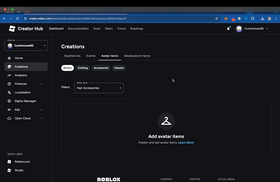
Where to find Journeys in Creator Hub
- Open Roblox Creator Hub and select an experience you manage.
- Open Analytics and choose Journeys.
- Select Create and enter a journey name.
- Add stages in the order players progress toward the goal.
- Add one or more nodes to each stage. Nodes in the same stage represent alternative actions that count as equivalent progress.
- Select Next, acknowledge the configuration, and publish it.
- Copy the generated Luau snippet into the relevant server-side game scripts, then select Done to view the journey.
Roblox's current documentation specifies 2–10 configured stages per journey and 1–10 nodes per stage. Roblox also adds an automatic entry stage, numbered stage 0, so creators do not need to configure or log it themselves.
How branching stages and nodes work
Think of a game shop as a simple example. A player may open the shop, view a sword, view armor, and then purchase an item. The sword and armor actions can be separate nodes in one “Browsed an item” stage. Both routes can then lead to a later purchase stage.
The same structure can model a tutorial where players choose a class, a quest system where objectives can be completed in different orders, or a progression path with multiple ways to reach the same milestone. The key is to group actions that represent equivalent progress into the same stage.
Use clear, consistent names. Journey names can contain letters, numbers, periods, hyphens and underscores, up to 50 characters. Node names are also limited to 50 characters and have restrictions: they cannot begin with two underscores or contain commas, quotation marks, apostrophes, line breaks or NUL characters. Node names must be unique within a stage.
How to record player actions with LogJourneyEvent
After publishing the journey configuration, the experience must send matching events when players complete the corresponding actions. Roblox documents the server-side method AnalyticsService:LogJourneyEvent(). The journey name and node name in the call must match the published configuration exactly.
local AnalyticsService = game:GetService("AnalyticsService")

-- Example: record a player opening the shop
AnalyticsService:LogJourneyEvent(
    player,
    "StoreCheckout",
    "OpenedStore"
)
For a journey that can happen repeatedly—such as opening a shop several times—Roblox recommends a journey session ID. Generate one ID for each attempt and reuse it for every event in that attempt. Create a new ID when the player starts another attempt. A journey that happens only once per player can omit the session ID.
Creators can also attach up to three custom fields to journey events. These can help separate meaningful variants of a flow, provided the fields are designed consistently and are useful to the team analyzing the results.
What the Journeys dashboard can tell developers
Roblox says the Journeys page includes separate Sessions and Users views. Sessions evaluates each journey attempt independently, while Users shows each player's first-time progression across journey sessions. The dashboard includes total users or sessions, how many reached the final stage, the biggest drop-off node and stage, a Sankey chart of paths, path breakdowns, and churn breakdowns by node or stage.
This can turn a vague question—“Why are players leaving?”—into a more actionable one: “Which route or choice is associated with the largest drop-off?” A creator might discover that players who choose one tutorial path rarely reach the next stage, or that a shop visit is frequently followed by a session ending. The data does not prove the cause by itself, but it gives the team a specific place to investigate.

Important rules about progress, dates and versions
- Progress moves forward: Repeating the current node does not advance progress, and events from the same or an earlier stage do not move it backward.
- Skipped stages are recorded: If a player jumps directly to a later stage, Roblox records intermediate stages as skipped.
- The final stage matters: Reaching any node in the final configured stage counts as reaching the final stage.
- Progress can expire: If a user has no events for a journey for more than 180 days, saved progress expires and the user starts again from the automatic entry stage when they return.
- Date ranges are cohorts: The selected date range groups users or sessions by when they first entered the journey. Roblox includes progress for up to 90 days after the selected range ends.
- Versions remain distinct: Editing and publishing a journey creates a new configuration version. Existing users and sessions remain associated with the version they originally acquired; publishing a new version does not migrate their existing progress.
Will Journeys make Roblox games smoother?
Not directly. Journeys is an analytics feature, not an engine optimization or automatic bug-fixing tool. It does not change a game's frame rate, reduce memory use, shorten loading times or rewrite scripts. Its value is diagnostic: it helps creators see where players go, where they stop progressing and which paths deserve closer attention.
That insight can lead to better design decisions. A developer might simplify an onboarding step, clarify a confusing quest objective, make a shop easier to exit, or investigate an error that appears around a specific action. Those changes are made by the development team—not automatically by the Journeys dashboard—and their impact should be measured after release.
Common setup mistakes to avoid
- Creating a journey but forgetting to add the generated event calls to the experience's server scripts.
- Using a journey or node name in code that does not exactly match the published configuration.
- Logging an event before the player has actually completed the action it represents.
- Reusing one session ID across separate attempts of a repeatable journey.
- Putting unrelated actions into one stage, which makes the resulting path difficult to interpret.
- Assuming an empty chart means the feature is broken; first check whether the journey is configured, published and receiving events.
Official Roblox resources and updates
Read the official Roblox Journeys launch announcement, the Journey events setup guide, and the Journeys configuration guide before instrumenting a live experience.
For broader creator updates, the official Roblox Developer account's X timeline is embedded below. It is a live account timeline, not a claim that a specific Journeys launch post was published there.
Posts by RobloxDev
Frequently asked questions
Is Roblox Journeys available now?
Yes. Roblox announced the launch in Creator Analytics on November 3, 2026. Creators can find it under Analytics → Journeys in Creator Hub.
How many stages can one journey have?
The current Creator Hub documentation supports 2–10 configured stages per journey and 1–10 nodes in each stage. Roblox automatically adds an entry stage before them.
Do players have to follow every node in a stage?
No. Nodes in the same stage are alternative actions. Reaching any one of them completes that stage.
Does the dashboard track repeated shop visits separately?
It can. For repeatable journeys, use a unique journey session ID for each attempt and reuse that ID for all events within the same attempt.
Does Journeys automatically improve retention or game performance?
No. It provides analytics that can help developers identify friction and test improvements. The development team must make and measure any gameplay or performance changes.
Bottom line: Roblox Journeys gives creators a clearer way to understand non-linear player behavior. Set up meaningful stages, log accurate server-side events, and use the path and drop-off reports to decide what to improve next.