

Updated November 4, 2026. Roblox creators are reporting missing terrain surfaces, moving gaps in distant LOD meshes and water-rendering problems after Expanded Terrain and Custom Terrain Materials launched in October. These reports do not all describe one bug. Roblox has rolled out a fix for a mixed-material downsampling defect, while a separate water upsampling correction is waiting for a Studio release. A creator still reported gaps in Studio on November 4 after following the recommended toggle reset.
Quick answer: If your Roblox map still shows holes, check thin terrain, streaming and LOD behavior, mixed-material downsampling and water upsampling separately. Adding thickness may help one documented case, but it is not a universal fix for every Expanded Terrain issue.
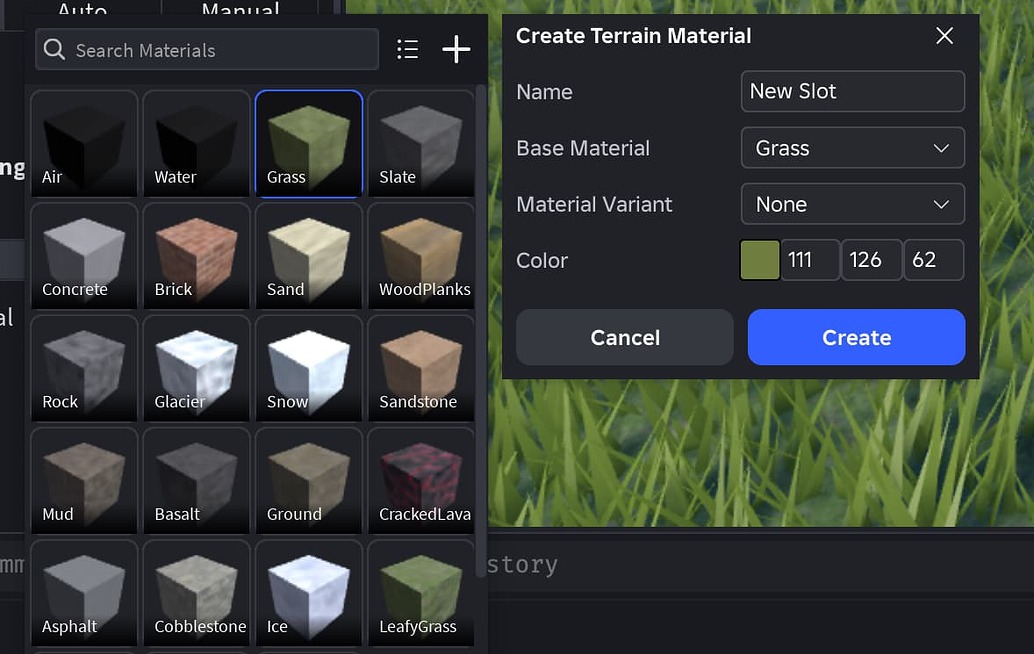
What creators are seeing
Expanded Terrain changes the backend used by a place and supports custom terrain materials alongside rendering, storage and delivery improvements. Roblox’s Creator Hub says the system can reduce terrain’s contribution to place-file size and improve streaming and load times. Roblox terrain is voxel-based: each voxel represents a 4-by-4-by-4-stud region, so rendering or sampling defects can become visible as large gaps when a map is viewed from a distance.
Recent reports describe solid terrain disappearing in distant LOD meshes, gaps that move as a player changes camera position, terrain that appears after a player approaches an area, and water surfaces that look too low or uneven. Similar screenshots do not prove the symptoms share one cause.

The November 3 fix: what it addressed
In an Engine Bugs thread opened October 23, a creator reported terrain LOD meshes disappearing even when the terrain was more than 16 voxels thick and the experience used a small streaming radius. A Roblox staff responder identified two defects: an off-by-one overflow in the terrain downsampling path when mixed materials were present, and a separate water upsampling issue that could leave some water levels too low.
The staff update on November 3 said the first fix had rolled out. The recommended refresh was to disable Expanded Terrain, allow the place/server restart to complete, then enable it again with the required restarts. The same update said the water upsampling correction had been merged but was still waiting to ship with a Studio release. A merged fix is not necessarily available in every creator’s current build.
On November 4, the original reporter said the map looked better but still showed gaps in Studio. They described terrain that remained loaded after approaching the area and moving away again. They also said they had disabled and re-enabled Expanded Terrain and closed and reopened Studio after each restart. In the client, terrain loaded but water still looked wrong. This suggests the first patch improved that test case, but it does not establish that every remaining gap has the same cause.
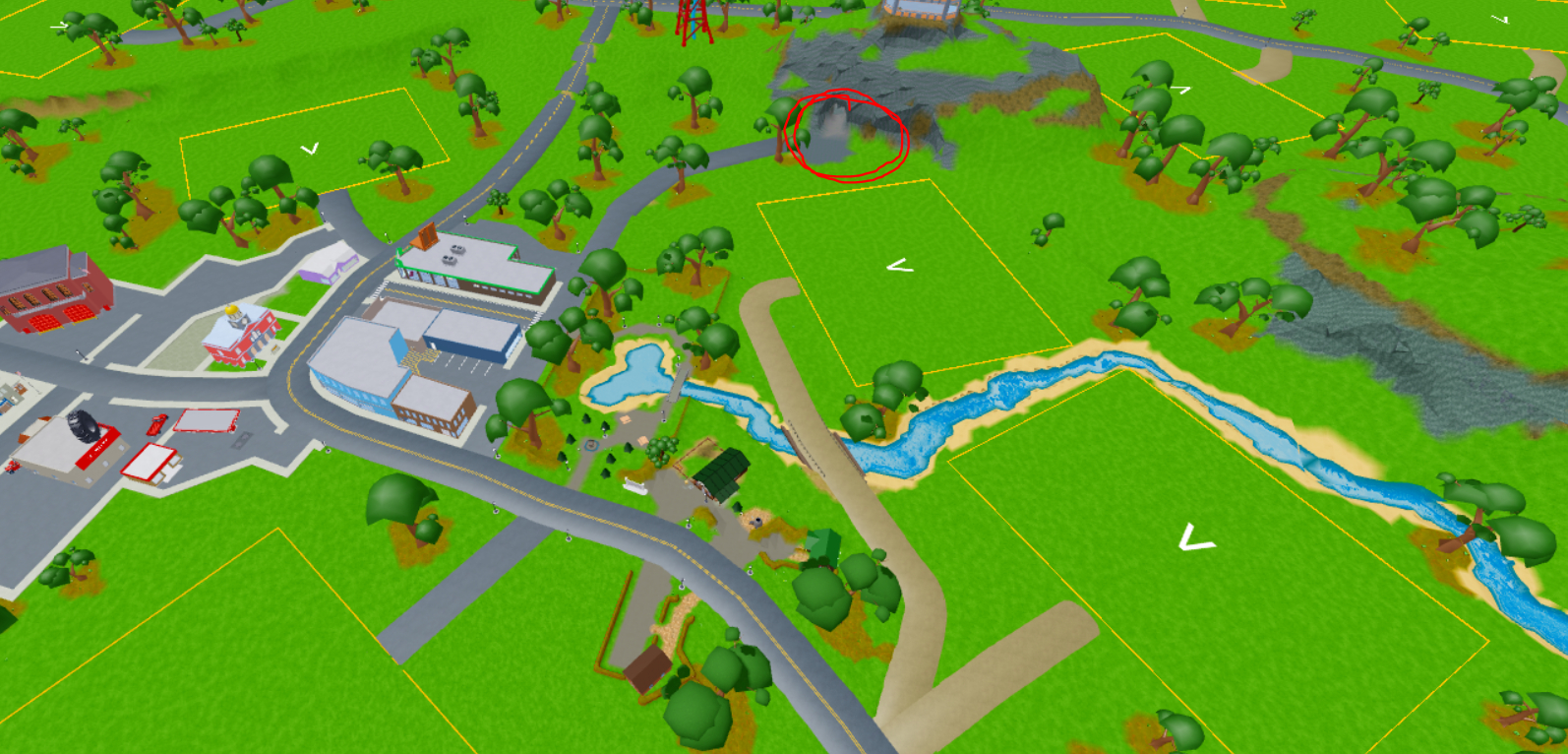
Why terrain can disappear even when it is thick enough
Roblox’s Expanded Terrain documentation warns that thin terrain features under 16 voxels may disappear on the client or in playtesting when streaming is enabled with a small streaming radius. Sixteen voxels correspond to 64 studs of voxel depth. Roblox recommends adding thickness to thin features and says making terrain thinner than 16 voxels saves little or no memory under Expanded Terrain.
However, the October 23 bug report specifically described gaps in terrain more than 16 voxels thick. Creators should not treat “make everything thicker” as a universal fix. Mixed-material downsampling, streaming behavior, water upsampling and older terrain rendering problems need to be considered separately.
A second October 23 report described large gaps visible from high above, with gaps shifting as the player moved. The reporter said the map was at least 16 voxels thick and had used the thickening script from Roblox’s announcement. Terrain thickness is one known risk factor, not proof that every missing patch is caused by thin geometry.

What creators should check before changing a map
- Record the exact symptom. Note whether the gap appears in Studio edit mode, Studio playtest, a private server or a public live server. Record whether approaching the area makes it appear.
- Check the place setting. Select Workspace in Explorer and inspect Expanded Terrain. The setting is enabled per place.
- Apply the documented refresh carefully. To test the November 3 fix, disable Expanded Terrain, allow the restart to finish, then enable it again and reopen the place. For Team Create, Roblox says to exit the place and wait about 15 seconds before reopening after changing the setting.
- Check thickness and streaming. If a feature is under 16 voxels thick and streaming is enabled with a small radius, test a backed-up copy with additional thickness. Do not assume this resolves mixed-material or water defects.
- Test water separately. A water-height problem may be related to the separate upsampling correction. Confirm the Studio version before concluding that the patch is available.
- Keep a clean backup. Roblox’s supplied thickening script warns that large terrain writes may not be reliably undoable and that the script is not idempotent. Running it repeatedly can extend terrain again; caves may also need manual adjustments.

How to report a reproducible terrain bug
If the gap remains after the documented refresh, prepare a reproduction package instead of posting only “terrain is broken.” Include the place file or a private reproduction place if Roblox staff requests it, Workspace Expanded Terrain state, StreamingEnabled status and streaming radius, Studio version, device/platform, and whether the same area behaves differently in Studio and the client. Add a short video showing the camera position and the movement that makes the gap appear.
Also state whether the affected terrain uses mixed materials, whether the visible surface is thinner than 16 voxels, whether water is involved, and whether the problem occurs after a fresh restart. These details help distinguish the known downsampling issue from thin-terrain LOD behavior, water upsampling or a separate rendering defect. Roblox’s Bug Reports guidance asks developers to provide enough detail for others to reproduce an issue.
What is confirmed as of November 4, 2026?
Three points are supported by public Roblox posts. First, Expanded Terrain and Custom Terrain Materials exited Early Access in October, with up to 62 editable custom terrain materials. Second, Roblox temporarily restricted the new terrain memory and performance optimizations in live experiences after discovering an iOS client crash during terrain streaming; its October 27 update said those performance improvements were Studio-only at that point, while custom materials remained available. Third, the November 3 staff update confirmed that the mixed-material downsampling fix had rolled out, while the water upsampling fix was still awaiting a Studio release.
What is not confirmed is that every remaining terrain gap has been fixed, or that the full performance optimization package has returned to all live clients. Check the latest official announcement and bug-report replies before making claims about a universal rollout.

Official Roblox updates and community discussion
Roblox’s Creator Hub explains the Expanded Terrain setting, custom terrain materials and known limitations. The Developer Forum announcement and Engine Bugs threads contain the rollout notes and creator reports discussed above.
Roblox Creator Hub: Custom Terrain Materials
Roblox Developer Forum: Full Launch Announcement
Engine Bug Report: Expanded Terrain removes thick terrain
Engine Bug Report: Terrain gaps seen from above
Custom Terrain Materials are officially out of Early Access. Paint up to 62 materials onto your terrain for more varied worlds.
— Roblox Creators (@RobloxCreators) October 22, 2026
Frequently asked questions
Why are there holes in my Roblox terrain after enabling Expanded Terrain?
Possible causes include terrain thinner than 16 voxels when streaming is enabled with a small radius, LOD or streaming behavior, and the mixed-material downsampling bug reported in October 2026. The visible symptom alone is not enough to identify the cause.
Did Roblox fix the Expanded Terrain missing-terrain bug?
Roblox staff said the mixed-material downsampling fix had rolled out by November 3, 2026. A creator still reported gaps in Studio on November 4, so the public thread does not establish that every related symptom is resolved.
Is the water upsampling bug fixed?
The November 3 staff reply said the water upsampling correction had been merged and was waiting to ship with the latest Studio release. Check the current Studio version and official thread for confirmation that it has reached your build.
How thick should terrain be with Expanded Terrain?
Roblox warns that features thinner than 16 voxels can disappear with streaming enabled and a small streaming radius. Sixteen voxels equal 64 studs because each terrain voxel is 4 studs on each axis. This is a documented risk threshold, not a guarantee that all thicker terrain is immune to bugs.
Should I run Roblox’s terrain-thickening script?
Only on a backed-up copy after checking the affected terrain. Roblox warns that large terrain writes may not be reliably undoable, that the script is not idempotent, and that caves may require manual work. Running it more than once can extend terrain again.
Does Expanded Terrain improve live-game performance right now?
Roblox’s October 27 update said the performance improvements were available only in Studio while a client crash issue was being addressed. Custom terrain materials remained available in published experiences. Check the official announcement for a newer client rollout notice before promising players the performance benefits.
Bottom line
The November 2026 Expanded Terrain reports show that a launch fix can solve one engine defect without eliminating every similar-looking rendering problem. Roblox has confirmed a mixed-material downsampling correction, but the November 4 discussion still contains a creator report of gaps in Studio and a separate water issue awaiting release. Back up the place, document the exact environment and reproduction steps, and test each likely cause separately. That is safer than repeatedly changing terrain thickness or assuming every missing patch has the same explanation.
By Shivam Das · Roblox Studio and creator-tools coverage · Updated November 4, 2026





